
From messy Downloads
to clean folders.
Write rules once and let DropSort do the repetitive work. It watches folders in real time, routes files to the right place, and stays fully local on your machine.
100% secure — runs entirely local on your device.
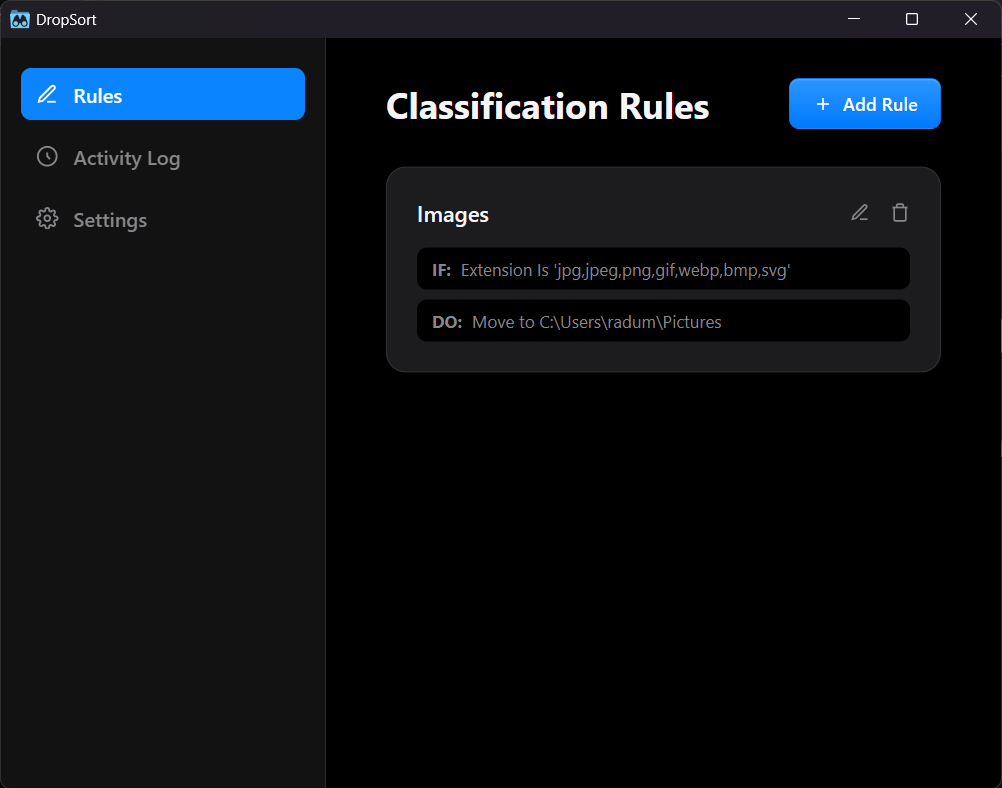
Rules that work while you don't.
Define conditions and actions once.
DropSort watches, moves, renames, and cleans up automatically from that point on.
Build logic your way.
Combine All, Any, and None conditions based on extension, name, or file size, then chain actions like move, rename, and archive.
IF extension = .pdf
DO move to Documents
Real-time folder watching.
DropSort listens for native filesystem events, so files are sorted as soon as they arrive.
Lifecycle cleanup.
Move temporary downloads into an archive and remove them after a retention period you define.
installer_old.dmg 3 days left
screencap.mov 1 day left
duplicate.zip removed
Action history with undo.
Each move, rename, or cleanup is logged. If something lands in the wrong place, roll it back quickly.
Pick your platform.
Choose the build that matches your system.
wget https://github.com/SulfusHQ/DropSort/releases/download/v0.1.0/DropSort_0.1.0_amd64.deb
sudo apt install ./DropSort_0.1.0_amd64.deb
Built in public.
Read the code, open issues, and contribute improvements to the rule engine and desktop experience.
Free for personal and non-commercial use with attribution.